
Artificial Intelligence in EdTech

New and creative uses of artificial intelligence are being developed every day. EdTech is an area where the use of AI has flown largely under the radar thus far but has the potential to reimagine the student/teacher relationship and improve student outcomes across the board.
Artificial Intelligence is listed on top tech trends by multiple survey's and researchers and is definitely something to watch.
Bill Salak, the Chief Technology Officer for Brainly — the world's largest peer-to-peer learning community — has been closely following developments in AI in the EdTech space and has incorporated some of the industry's most forward thinking applications into Brainly's DNA, creating a more dynamic education space for today's students.
Salak has developed insights and predictions for the future of AI in EdTech and would be happy to share them. Here are a few of the highlights:

1. AI will lead to even better personalization.
With the advent of AI, the many students-to-one-teacher model is ripe for reinvention. AI will allow for students to access information along their own unique learning curve, positioning teachers to best advise students in a personalized way, rather than a way that works for all 30 students in a class.
2. Teachers will have more time for teaching.
AI can be utilized to reduce or even eliminate mundane administrative tasks like grading assignments opening up more time to create bespoke lesson plans for each student.
3. AI will help teachers get more powerful results.
Teachers will be able to augment their own experience, training and instincts with sophisticated data from AI applications to create a more efficient learning environments and curriculum predicated on the needs and pace of the student.
AI in Education Use Case on Brainly helpful: https://www.disruptordaily.com/ai-education-use-case-brainly/
Brainly, a social network created to help students collaborate, is integrating and exploring the benefits of Artificial Intelligence on its platform. To serve quality content, Brainly actually works with a team of over a thousand moderators who verify questions and answers of its users. Thanks to Machine Learning algorithms, the team of moderators have a powerful support in the automatic filter of spam and low quality content, so they are able to focus on providing quality services to students.
But beyond content moderation, Brainly is also using AI algorithms to personalize its platform’s networking features and to provide an enhanced experience to users with personalized features. The platform will enhance the user experience by making friend suggestions based on areas where students need help. “Each student can gain access to information that helps them along their unique path of their learning curve. In the future, that means that a student won’t have to learn the same exact thing at the same exact pace as 30 of their classmates. Instead, we will be able to hone in on the areas where a student struggles, and tailor their lessons to help them through difficult topics”, says Bill Salak, Brainly CTO.
.
PBLWorks Partners with the Bezos Family Foundation to Launch “Hunger Challenge” Project Based Learning Unit

PBLWorks partnered with the Bezos Family Foundation to create a project-based learning unit that teachers can download. It is a high quality PBL unit for the upcoming Hunger Challenge. It is for K-12 educators and students and the unit has them exploring solutions for hunger and malnutrition.
You can download it here: http://go.pblworks.org/hunger-project
PBL Works is a great resource for all things PBL.

You can read more below.
This is a great opportunity for students to learn about hunger as well as learn skills like creativity, collaboration, communication and teamwork.
PBLWorks Partners with the Bezos Family Foundation to Launch “Hunger Challenge” Project Based Learning Unit
Foundation to donate $3 for each piece of art created by students to help address hunger and malnutrition globally
Novato, CA (Sept. 17, 2019) – PBLWorks, the leader in Project Based Learning (PBL) professional development, has partnered with Students Rebuild, a program of the Bezos Family Foundation, to create a high quality PBL unit for the upcoming Hunger Challenge. K-12 educators and students are invited to participate in the challenge to explore solutions for hunger and malnutrition around the world, and raise funds for youth-focused nutrition programs.
The Hunger Project PBL unit – designed for English, math, and science – is available for teachers starting today and the challenge runs through June 5, 2020. Students participating in the challenge research hunger and malnutrition, then work together to develop potential solutions to these issues, and create a work of art to showcase their results.
For every piece of artwork submitted, the Bezos Family Foundation will donate $3 (up to $700,000) to youth-focused nutrition programs. Students and educators participating in the Hunger Challenge will support UNICEF programs in Yemen and Ethiopia combating chronic malnutrition, expand Mary’s Meals’ school-based nutrition initiatives in India and Malawi, and back community-based initiatives across the U.S.
To download the Hunger Challenge PBL Unit, visit http://go.pblworks.org/hunger-project.
“Students Rebuild is a global force in mobilizing young people to action and we share their passion for engaging youth around international issues,” said Bob Lenz, CEO of PBLWorks. “At PBLWorks, we see the power of students doing PBL projects both as a deeper, more effective learning method and also as a tool for societal change.”
Since 2010, Students Rebuild has mobilized over a million young people in nearly 80 countries and donated more than $5 million to organizations confronting critical global issues impacting children and youth. It selected PBLWorks as a partner because of their expertise in Gold Standard Project Based Learning design.
"Every day we see students acting as agents of change in their communities," said Jackie Bezos, President of the Bezos Family Foundation. "We hope their collective voices and actions will inspire more people around the world to act on critical problems facing humanity."
About PBLWorks
At PBLWorks (the brand name of the Buck Institute for Education) we believe that all students – no matter where they live or what their background – should have access to quality Project Based Learning to deepen their learning and achieve success in college, career, and life. Our focus is to build the capacity of teachers to design and facilitate quality Project Based Learning and the capacity of school and system leaders to create the conditions for teachers to implement great projects with all students. For more information, visit www.pblworks.org.
About Students Rebuild
Students Rebuild is a collaborative program of the Bezos Family Foundation. Created in January 2010 in response to the devastating Haiti earthquake, Students Rebuild has mobilized more than one million participants in 83 countries and all 50 states and raised more than $5 million in matching funds for projects like rebuilding schools in Haiti, aiding disaster recovery efforts in Asia, supporting livelihoods in Africa, helping Syrian youth from conflict areas recover from crisis, and supporting empowerment opportunities for youth affected by poverty. Through its Challenges, Students Rebuild tackles some of the world's most difficult problems, issues that one cannot solve alone. Guided by the belief that every young person should have an opportunity to help others—but not everyone can fundraise—its Challenges require young people to create a simple, symbolic object, which the Foundation matches with funding. This approach allows students of all ages, backgrounds, and in countries around the world to take action and see change on global concerns. Find more at www.studentsrebuild.org and @StudentsRebuild.
This is a great opportunity for students to learn about hunger as well as learn skills like creativity, collaboration, communication and teamwork.
PBLWorks Partners with the Bezos Family Foundation to Launch “Hunger Challenge” Project Based Learning Unit
Foundation to donate $3 for each piece of art created by students to help address hunger and malnutrition globally
Novato, CA (Sept. 17, 2019) – PBLWorks, the leader in Project Based Learning (PBL) professional development, has partnered with Students Rebuild, a program of the Bezos Family Foundation, to create a high quality PBL unit for the upcoming Hunger Challenge. K-12 educators and students are invited to participate in the challenge to explore solutions for hunger and malnutrition around the world, and raise funds for youth-focused nutrition programs.
The Hunger Project PBL unit – designed for English, math, and science – is available for teachers starting today and the challenge runs through June 5, 2020. Students participating in the challenge research hunger and malnutrition, then work together to develop potential solutions to these issues, and create a work of art to showcase their results.
For every piece of artwork submitted, the Bezos Family Foundation will donate $3 (up to $700,000) to youth-focused nutrition programs. Students and educators participating in the Hunger Challenge will support UNICEF programs in Yemen and Ethiopia combating chronic malnutrition, expand Mary’s Meals’ school-based nutrition initiatives in India and Malawi, and back community-based initiatives across the U.S.
To download the Hunger Challenge PBL Unit, visit http://go.pblworks.org/hunger-project.
“Students Rebuild is a global force in mobilizing young people to action and we share their passion for engaging youth around international issues,” said Bob Lenz, CEO of PBLWorks. “At PBLWorks, we see the power of students doing PBL projects both as a deeper, more effective learning method and also as a tool for societal change.”
Since 2010, Students Rebuild has mobilized over a million young people in nearly 80 countries and donated more than $5 million to organizations confronting critical global issues impacting children and youth. It selected PBLWorks as a partner because of their expertise in Gold Standard Project Based Learning design.
"Every day we see students acting as agents of change in their communities," said Jackie Bezos, President of the Bezos Family Foundation. "We hope their collective voices and actions will inspire more people around the world to act on critical problems facing humanity."
About PBLWorks
At PBLWorks (the brand name of the Buck Institute for Education) we believe that all students – no matter where they live or what their background – should have access to quality Project Based Learning to deepen their learning and achieve success in college, career, and life. Our focus is to build the capacity of teachers to design and facilitate quality Project Based Learning and the capacity of school and system leaders to create the conditions for teachers to implement great projects with all students. For more information, visit www.pblworks.org.
About Students Rebuild
Students Rebuild is a collaborative program of the Bezos Family Foundation. Created in January 2010 in response to the devastating Haiti earthquake, Students Rebuild has mobilized more than one million participants in 83 countries and all 50 states and raised more than $5 million in matching funds for projects like rebuilding schools in Haiti, aiding disaster recovery efforts in Asia, supporting livelihoods in Africa, helping Syrian youth from conflict areas recover from crisis, and supporting empowerment opportunities for youth affected by poverty. Through its Challenges, Students Rebuild tackles some of the world's most difficult problems, issues that one cannot solve alone. Guided by the belief that every young person should have an opportunity to help others—but not everyone can fundraise—its Challenges require young people to create a simple, symbolic object, which the Foundation matches with funding. This approach allows students of all ages, backgrounds, and in countries around the world to take action and see change on global concerns. Find more at www.studentsrebuild.org and @StudentsRebuild.
specification of Honda veezel

today i am talking about honda vezel car ye ak asi car ha jo k hybrid ha or is main sab sy mazy ki bat to ye k ham is car ki average boht kmal ha ye 1 letir main taqrebn 30 km krti ha to aj ham iski specicication k bary men bat krty hen or dakhty hen
Honda Vezel of engine capacity (cc), fuel efficiency, seating capacity, safety and comfort and its hybrid...
Honda Vezel is expected to be launched in India in September 2020 with an estimated ... Check Vezel Specs, see images, colours and more. ... Change car ... Estimated Price in New Delhi and some more cuntries ... Expected Launch - Sep 30, 2020.
The Honda Vezel is a subcompact crossover SUV manufactured by Honda and full comfort. in the vehicles and computires systme. The recall does not affect any Honda models sold abroad and pakistan
Honda Vezel expected price in India is Rs. 10.00 Lakhs & launch date
specification of honda ribon car 2020

today i am talking about specifcation of honda ribon car
jhan tak dakha jaye to ye boht pyari car ha or alai rim bhi boht achyy hen aye is k bary men kuch janty ham apko btaen gy k ye car kasy kam krti ha or or iski petrol everge kia ha dakhty hen
The Si (Sport Injected) trim was ... Main article: Honda Civic (third generation) § Sporting versions ... In addition to being built at Honda's Allison, Ontario plant, the car was also manufactured at
fuel type petrol
engion displacement-----------------1770
max power--------------------130.bph
max torque-------------------171.6nm
Girl Power(ed): 5 STEM Activities and Lessons for Girls

Girl Power(ed): 5 STEM Activities and Lessons for Girls
By Kate Began
Empowering girls through STEM activities not only prepares them for a bright future, it’s also a fun way to keep them engaged while they learn. Little girls love tinkering with things and tackling complex topics just as much—if not more so—than the boys.
Unfortunately, some harmful stereotypes just don’t seem to die. While many teachers and parents still choose to dissuade young girls from pursuing STEM subjects, you can do your part by incorporating STEM activities for girls at home or in the classroom.
Ready to spark their interest in science and technology? Here are 5 STEM activities for girls to boost their critical thinking skills and ignite a lifelong passion for the world of STEM:
Learn Chemistry by Making Bath Bombs
Making homemade bath bombs are a relaxing way to explore chemistry and to get your girls in the habit of using scientific methods. Plus, it’s a fun activity to do with your girls on the weekend.
For this experiment, you’ll need the following ingredients:
● Spray Bottle with Water
● Silicone Baking Tray
● ½ Cup Baking Soda
● ¼ Cup Citric Acid
● ¼ Cup Corn Starch
● 1 Teaspoon Olive Oil
● Essential Oil
● Food Coloring
The first step is to combine the baking soda, corn starch and citric acid into a mixing bowl. Add the olive oil, essential oil and a few droplets of food coloring.
Use a couple sprays of your squirt bottle on the mixture (it may fizz when you do this) and use your hands to begin molding it. Press the mixture tightly into your silicone baking tray and allow it to sit for 1-2 days.
Next, start experimenting with the bath bombs. Ask the girls what they think will happen when you drop a bath bomb in hot water versus cold water. You can also begin playing around with ingredients and make predictions on how different ingredients affect the bath bombs.

Get Them Interested in Coding
According to the Bureau of Labor Statistics, the computer science field is growing 19 percent faster than average. If you want to give your girls a head start in coding, consider introducing them to Tynker.
Tynker provides 500 hours of curriculum and introduces kids to concepts such as augmented reality, robotics, block coding and more. It’s self-paced, which means that your girls can learn anywhere and go at their own pace.
Tynker is free to teachers, while parents can purchase the coding platform’s programming lessons for as little as $10/month for a yearly subscription. From Coding with Barbie to Goblin Quest, there are a variety of coding lessons and games that will get your kids excited about computer science.
Double-Digit Multiplication Game
Struggling to spice things up and make math engaging? Why not turn math into an exciting board game?
This printable multiplication board game (via MathGeekMama) requires no prep and is easy to explain, so it’s practically guaranteed to become a parent/teacher favorite. Here is what you’ll need:
● Printable Double-Digit Multiple Board Game
● Die
● Place markers
● Calculator
Here is how it works: Player one rolls the die and moves that number of spaces. She then must solve the problem on the space where she landed.
The second player checks her math using the calculator. If she gets it right, she gets to stay on the marker. But if she gets it wrong, she must take two steps back from her original starting point.
To make things more fun for the girls, have them choose their place marker from a bucket of small toys. Remember to provide a variety of toys—not every girl wants a stereotypical pony as a place marker!
Learn About Circuitry
It’s understandable to be nervous about introducing electrical concepts to young kids. If you’re nervous about building your own DIY electrical kits for the kids, there are plenty of affordable kits online that your girls will love.
For example, the SmartLab Smart Circuits is a super fun electronics kit that allows you to safely introduce electronics concepts to kids. From building a glowing circuit to creating a magic message wand, the kit provides a diverse range of simple and complex projects for kids to complete.
All the electrical components are housed inside a plastic enclosure for electronics so that your girls can experiment safely. There are also additional safeguards that prevent incorrect wiring and electrocution, so there is no excuse for not introducing electricity and electronics into the classroom or at home!

Explore States of Matter with Glitter Slime
Making glitter slime is a great way to get girls interested in science and learn about states of matter. This STEM activity is also perfect for when you’re stuck indoors on cold weather days.
Here is what you’ll need to make glitter slime:
● 1 Small Jar
● Glitter
● Clear Elmer’s Glue
● 1 ½ Tablespoons OPTI-FREE Contact Lens Solution
● ½ Tablespoon Baking Soda
To make the slime, pour the Elmer’s glue into a bowl, followed by the baking soda, contact solution and then the glitter. Mix the ingredients together with a spoon until the slime becomes tough to stir.
Use your hands to finish mixing the slime. If the slime is a bit sticky, add a little contact solution to it.
Let the girls play with the slime for a few minutes and then start asking them questions. What will happen to the slime when it’s left on a flat surface? How far can it stretch before it breaks?
If the girls are older, you can use this opportunity to explain polymers and non-Newtonian fluids. For girls who are younger, this is still a great activity that will introduce them to using basic scientific methods.
Final Words
With coding, robotics and real-world science becoming a common sight in today’s classrooms, it’s never been more important to get girls interested in STEM subjects at an early age. Inside each girl is a passion for science and technology that is waiting to be brought to life.
With these fun STEM activities for girls, you can foster their interest in STEM and provide them with the confidence they need to purse a male-dominated field. With any luck, they will go on to become the next Marie Curie and Edith Clarke.
With coding, robotics and real-world science becoming a common sight in today’s classrooms, it’s never been more important to get girls interested in STEM subjects at an early age. Inside each girl is a passion for science and technology that is waiting to be brought to life.
With these fun STEM activities for girls, you can foster their interest in STEM and provide them with the confidence they need to purse a male-dominated field. With any luck, they will go on to become the next Marie Curie and Edith Clarke.
Kate Began serves as the Sales and Marketing Manager for Polycase. Kate oversees the customer service representatives, assists with product development and leads the marketing efforts from the Avon, Ohio headquarters.
RELATED:
STEM Resources (lots)
EDUCATIONAL TECHNOLOGY GRADUATE SPENCER KIPER ON WINNING LOUISIANA TEACHER OF THE YEAR AND THE FUTURE OF STEM INSTRUCTION
.
9-11-2001 - 18 years later - please don't forget

I was in EMS for 22 years before retiring due to a back injury. One of my most memorable experiences was responding to New York City as a Paramedic in the aftermath of the terrorist attacks of 9/11. I will never forget that experience. What I saw and did are still with me, as is a type of asthma from breathing the dust. My Experience as a Paramedic on 9-11-01
We lost over 3,000 American's that day, including 8 EMS Providers, 60 Police Officers and 343 Firefighters in NYC.

Since that day, 200 FDNY Firefighters have died from 9/11 related illnesses, and hundreds of others are sick, including EMS, PD and civilians. There is a new area at the 9/11 Memorial and Museum in NYC for these individuals who are sick.

As time passes, people seem to forget what happened and the toll it has taken. We need to make sure we never forget and educate our children about what happened. Talk to them about it, tell them how you felt and what the experience was. Take them to the 9/11 Memorial and Museum in NYC. It is an amazing, somber experience going there. My 6 year old daughter has been to ground zero and the park, but not into the museum. That will come later.

I still vividly remember where I was (at Sikorsky Aircraft) when it happened, responding down there as a paramedic, the sights, the smells, the people. I was at Ground Zero for the last part of my shift down there on 9/12. It was sobering to see the pile, knowing there were people in there.
As the years have gone by, we have lost first responders to 9/11 related diseases, many struggle with PTSD or other medical issues. The current generation doesn't know this as anything but history. The worst part for many of us was not being able to save people and the many days and weeks hoping against all odds that we would find people alive.

9/11 still haunts me to this day, as it does most of us who responded. But we persevere and move on, not letting the terrorists win.

As the years have gone by, I've noticed that people are not remembering this terrible event like they did the first few years after. I know that my EMS, Fire and Police colleagues all do, as do the brave men and women of our armed forces who fight every day against terrorism.
I've also noticed less being done in schools lately. Most of today's students weren't even born when 9/11 occurred. Please teach them about it (facts only please) and make sure they understand what it means. I will be speaking at the school my wife teaches at, a Military and First Responder high school, this morning to share my experiences with them.

This photo was taken on 9/10/07 showing a rainbow leading right to the WTC site and the Freedom Tower!


United We Stood, United We StandToday is a day Americans will never forget. It is a day of remembrance, a day of reflection and a day to be proud. It is a day we honor and remember the thousands of lives lost, the survivors, and those who rose up in service in response to the attacks on 9-11-2001. It is a day we pay tribute to and reflect on the sacrifices of the public safety workers and the men and women in our military who serve us and protect us 365 days a year. It is a day Americans can be proud of the way we came together following the attacks on 9-11. United We Stood. United We Stand. |
Here are some more resources about my experience on 9/11 and 9/11 in general:
My Experience as a Paramedic on 9-11-01
Remembering 9/11 (from 2009)
http://www.history.com/content/9-11/102-minutes
http://makehistory.national911memorial.org/
http://www.national911memorial.org/site/PageServer?pagename=New_Home
http://www.time.com/time/photogallery/0,29307,1921566_1932073,00.html
http://larryferlazzo.edublogs.org/2008/08/13/the-best-sites-to-help-teach-about-911/
-
September is National Preparedness Month - get yourself, family, home, school and business ready

The 2019 theme is "Prepared, Not Scared." Emergency Preparedness is something everyone needs to be a part of.
Take time to learn lifesaving skills − such as CPR and first aid, check your insurance policies and coverage for the hazards you may face, such as flood, earthquakes, and tornado's. Make sure to consider the costs associated with disasters and save for an emergency. Also, know how to take practical safety steps like shutting off water and gas.

The devastating hurricanes and wildfires of 2017 and 2018 reminded the nation of the importance of preparing for disasters. Often, we will be the first ones in our communities to take action after a disaster strikes and before first responders arrive, so it is important to prepare in advance to help yourself and your community.
It is important to consider three scenarios when planning for an emergency: 1) an escape route and meeting point if everyone is in the house; 2) what to do during a school day; and 3) how to handle an emergency during the weekend, when family members might be scattered.

Schools need to be prepared themselves, as well as teach their staff and students how to be prepared. (more info for schools below)
Is your school district prepared for a natural disaster?
FEMA (Federal Emergency Management Agency)
Emergency Management Insitute
The FEMA EMI offers free, online courses for anyone to take. The courses are well done and there are plenty of downloadable materials to help you. If you pass the test at the end, you even get a certificate.

Here are a list of the courses that I think all educators should take: (I've taken these, and more)
IS-36 Multihazard Planning for Childcare
IS-100.c Introduction to the Incident Command System
IS-362.a Multi-Hazard Emergency Planning for Schools
Education Administrators should also be involved in community emergency planning because schools are on the top of the list as emergency shelters and field hospitals and the building administrators know their buildings.

Here is another great resource for schools from the US Dept of Ed - REMS - Readiness and Emergency Management for Schools. This site includes materials, resources and training (including free, on-site training) to help schools start assessing the safety, security, accessibility, and emergency preparedness of their buildings and grounds.

REMS has an Emergency Management Virtual Toolkit to help schools build capacity in Emergency Management and Preparedness.
Ready.Gov also has Materials for Educators - Emergency preparedness curriculum for grades 1-12 that teach kids what to do before, during, and after an emergency while fostering critical 21st-century skills such as problem solving, teamwork, creativity, leadership, and communication.
Youth Emergency Preparedness Curriculum (4 PDFs)

American Medical Response, the EMS agency I worked for as a paramedic, also has some great resources for safety and preparedness, including bike safety, cold weather, hurricane, winter driving and much more.

Each household, business, and school should have an emergency plan, emergency kits and people trained in emergency preparedness and response.
I started my training in emergency preparedness while on my trail to Eagle Scout. Emergency Preparedness is a required merit badge and the Boy Scouts emphasize emergency preparedness among the scouts. I am a retired Paramedic, Special Operations Paramedic and FEMA trained in Emergency Preparedness and Emergency Management. I've responded to many disasters including 9/11 in NYC, hurricanes, blizzards, and mass casualty events and been incident command or staff at many of them.
Here are some of my favorite resources for learning about Emergency Preparedness.

Ready.gov is the US Government's web site for information and resources on emergency preparedness and response. There are resources for making a plan, an emergency kit, and how to stay informed. Information is included for individuals and businesses.

The Boy Scouts of America, who train all their Scouts and Adults in Emergency Preparedness, has partnered with the Department of Homeland Security to provide resources for the public on getting prepared. The site has planning resources, how to make an emergency kit, and other resources.

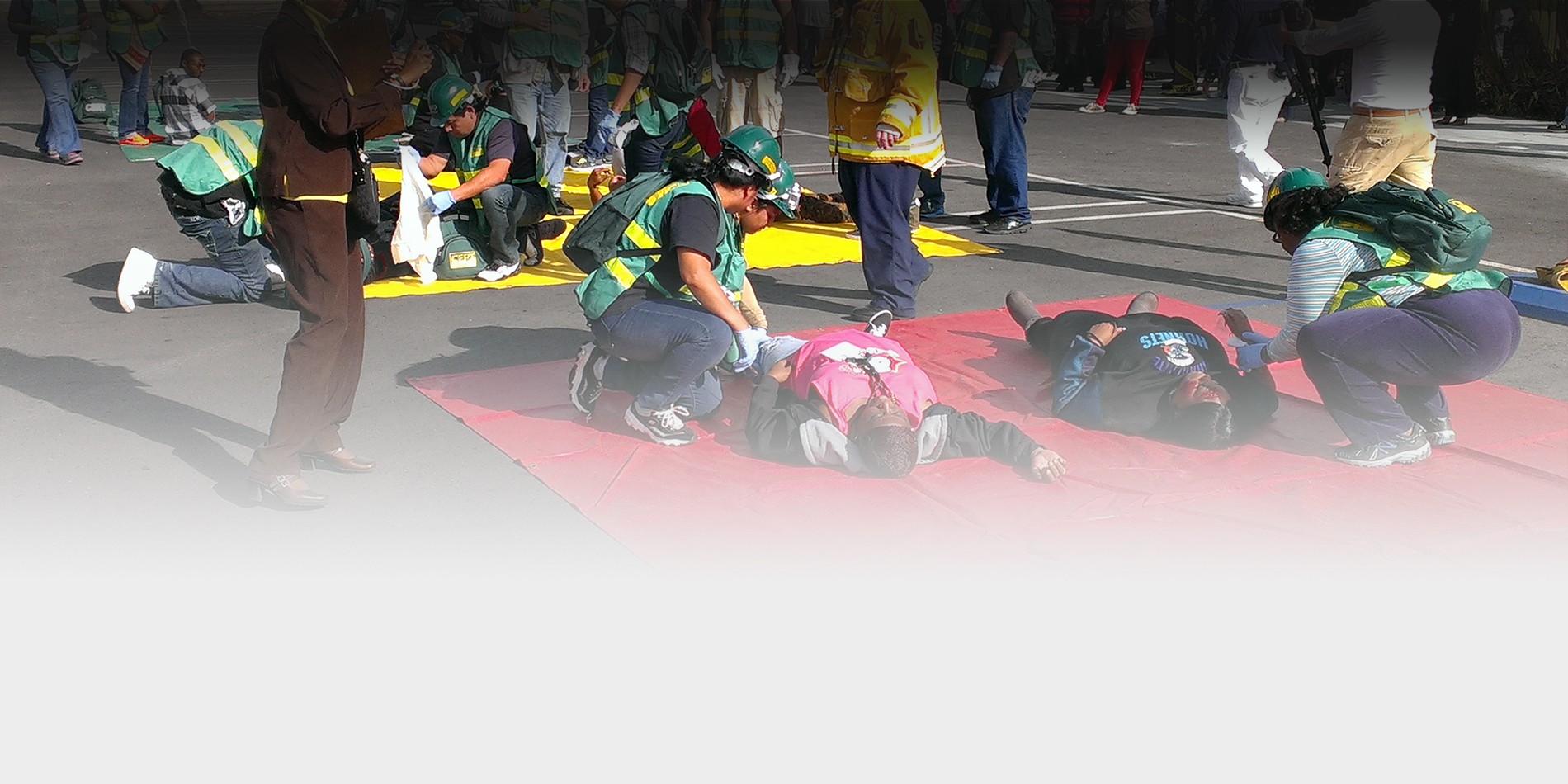
Emergency Preparedness is everyone's responsibility. Share these resources with your students, colleagues, and family.
More Emergency Preparedness resources.
.
Kapwing - free online photo and video editor

Kapwing is an online photo and video editor with a great free version that works on any device.

It is a whole suite of tools to perform simple editing tasks such as trimming videos, creating stop motion videos, adding subtitles, converting videos to gifs, resizing photos and videos, adding audio to videos, creating photo and video collages, and a handful of other tasks--you can see a full list of the tools here.

The most popular tool, Studio, has a few of the other tools built in (such as trimming video and adding audio), so that's a good place to get started.

Kapwing is used in a lot of classrooms as a tool for both educators and students and there is an education section of their blog here with lots of ideas and use cases.
It is very easy to use and has a lot of great features and tools that will be very useful for students and teachers.
Here is an article on Kapwing for classrooms on Medium (they have added more editing features since the article was originally published).
You can register for Kapwing for free here: https://www.kapwing.com/signin
Here is an article on Kapwing for classrooms on Medium (they have added more editing features since the article was originally published).
You can register for Kapwing for free here: https://www.kapwing.com/signin
Related:
Lots of Photo Editing apps and resources
free, downloadable Back to School Guide loaded with tips and resources to help teachers support social-emotional learning in the classroom


The free 2019 Back to School Guide can be downloaded at http://info.apertureed.com/btsg-19.

The 2019 Back to School Guide is organized by job description and includes eye-catching icons to make it easy for users to quickly find the resources relevant to their role. The Guide includes:
· Articles on hot topics in SEL such as “How SEL can Help Reduce Bullying,” and “3 Ways SEL can Support Trauma-Informed Practices.”
· Sharable resources such as an infographic about integrating SEL into an RtI Framework and a list of “10 Binge-worthy SEL Webinars.”
· Tips for administrators on everything from securing funding for SEL programs to supporting SEL for educators.
· Lists of SEL activities that support staff can do with students between classes, as well as activities to help teachers de-stress.
· Information on how to use reliable data to measure SEL program effectiveness.
Download it here: http://info.apertureed.com/btsg-19
Related:
.
Ozobot Classroom - STEAM learning management system coming this Fall

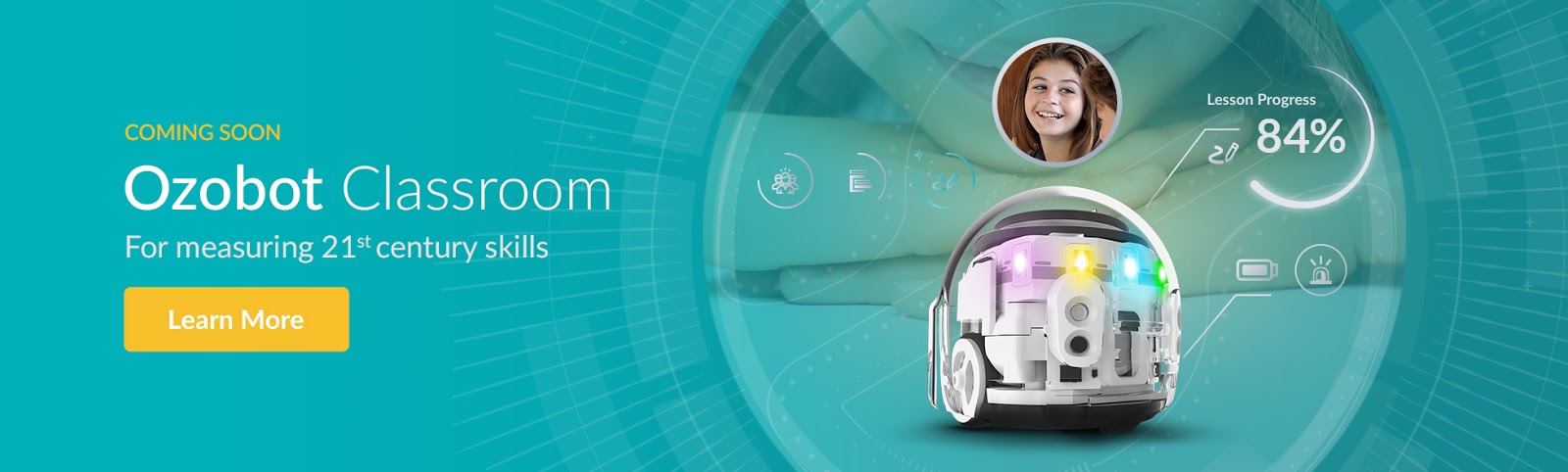
Launching this fall, Ozobot Classroom will offer teachers an even better way to bring coding into lessons on any subject and at any grade level—with features that include an educator dashboard, real-time insights into student progress, a curriculum builder, and more. It will be the first LMS of its kind, delivering powerful insights into student engagement both with and without screens.
Once teachers create an account, they will be guided through training in Ozobot’s 2 Ways to Code: on-screen with OzoBlockly visual programming and screen-free with Color Codes. From there, educators can manage students and bots, access standards-aligned lesson recommendations, assign activities and digital badges, and use real-time insights into students’ online and offline activity to inform their teaching strategies.

As the only learning management system that provides insights for screen-free activities, teachers can keep up with their students' progress in real time. Once students have started interacting with their robots, Ozobot Classroom will then provide lesson recommendations and build a curriculum based on the individualized student data.


Ozobot's Evo Educator Entry Kit and Evo Classroom Kit, which are compatible with the new Ozobot Classroom, were also selected as finalists for the 2019 SIIA CODiE Awards. The SIIA CODiE Awards recognize the top innovative products and services in the education and business technology industries. For more information on Ozobot's coding and STEAM products, and for a sneak peek at Ozobot Classroom, please visit https://ozobot.com/
Related:
STEM Resources for Education
.
Welcome back to school - resources for every teacher

Welcome back to school! I hope everyone had a great summer and was able to relax and recharge. Most schools around here start next week, with new teachers starting this week.
The beginning of the year is always a little crazy for all teachers. Getting your room setup, implementing new ideas into your lesson plans, getting to know your students, and just settling back in to the routine can be busy and stressful. Remember to not over do it and take time for yourself.

One thing I've done in the past that helped me is using a check list of everything I have to do when school starts, including setting up my room (computer, bulletin boards, etc), things I want to post in my room, lesson ideas and more in Evernote. I modify it each year, adding new things for the following year.

Here are some more tips, resources, and help to get your school year started on a positive note, and keep it that way.
Advice to New College Graduates about to enter the Teaching profession
Summary of new teacher tips, urban schools issues, technology resources
Google for Educators - Google has a huge number of free resources for teachers and students. Check them all out (they're all free).
Microsoft Education Resources - resources for admin, IT and teachers
Evernote for Education Resources - the ultimate note taking, web clipping, lesson planning resource
Create a Personal Learning Network - a PLN is an excellent resource for help, advice, and sharing ideas.
Overview of some free technology that can help you be more organized and efficient.
Related:
List of What Makes a Good Teacher - created by students
Great resources for New Teachers - advice, support, and training
Advice to New College Graduates about to enter the Teaching profession
Making School Relevant for Students
10 Important Skills Students need for the Future
10 Tech Skills Every Student Should Have
Getting Students and Teachers Organized - tips and resources
Good luck and I hope everyone has a great school year!!
-
Making School Relevant for Students
10 Important Skills Students need for the Future
10 Tech Skills Every Student Should Have
Getting Students and Teachers Organized - tips and resources
Good luck and I hope everyone has a great school year!!
-
eSpark - a fun and engaging way to differentiate reading and math instruction for students in preK-5th grade

eSpark automatically differentiates for PreK - 5 students based on their current needs with targeted instruction in reading and math. It includes games, videos and other resources to help students while they have fun. It is adaptive based on each student and helps students with self-paced pathways to assist them in mastering new standards and receive immediate feedback.


eSpark has an engaging variety of resources to keep students engaged and on task, while automatically meeting each student at their own level.


Disclaimer - eSpark is a paid advertiser on ETG.
Subscribe to:
Posts (Atom)